
Analytics-Admn-201 is the Salesforce Certified Tableau Server Administrator exam, and it is written for the person who keeps a Tableau Server environment running rather than the person who builds dashboards on it. Fifty-five questions, ninety minutes, sixty-four percent to pass. The Tableau Server administrator exam puts 36 percent of its marks in Administration and another 26 in Installation and Configuration, so those two domains between them decide 62 percent of the outcome. Migration and Upgrade, by contrast, is worth six. That distribution says something useful before you open a single study guide: this is an exam about the daily running of a platform, not about the occasional big project. It expects you to know tsm and tabcmd, to understand what Allow, Deny and None actually do to a permission, and to recognise which identity store belongs in which environment. This article works through all five domains, the exam’s cost and format, and where a working administrator’s experience already covers the syllabus.
What Is the Tableau Server Administrator Exam?
Analytics-Admn-201 certifies that you can install, configure, secure, administer, troubleshoot and upgrade Tableau Server. It has five domains covering server planning and data connectivity, installation and configuration, administration, troubleshooting, and migration and upgrade. Salesforce delivers it through Pearson VUE at 55 questions in 90 minutes.
“The Tableau Server administrator also creates and manages other server and site administrators, who in turn may manage sites.”
That sentence marks the boundary the exam keeps testing. A site administrator manages one site; a server administrator manages the server and the people who manage the sites. Questions frequently hinge on which of those two roles can perform a given action.
It is also worth being clear about the name. Tableau previously ran a Server Certified Associate credential, and that older name still appears in search results and in older study material. Analytics-Admn-201 is the current Salesforce-badged exam. Names shift on the Salesforce side as well: the Salesforce CRM Analytics exam is still searched for under the older Tableau CRM and Einstein Analytics labels.
How Are the Five Analytics-Admn-201 Domains Weighted?
The five domains are weighted 20, 26, 36, 12 and 6 percent. Administration is the largest at 36 percent, Installation and Configuration follows at 26, the first domain covering topology and data connectivity takes 20, Troubleshooting takes 12, and Migration and Upgrade is the smallest at 6 percent.
| Domain | Weight | What it covers |
|---|---|---|
| Connecting to and Preparing Data | 20% | Server topology and client components, versions and release notes, hardware and software requirements, licensing and site role mapping, server processes and Tableau Services Manager, data source identification and network considerations |
| Installation and Configuration | 26% | Installation steps and silent installs, identity stores and single sign-on, SSL, cache and process configuration, quotas and subscriptions, adding users, security at every level, and the permission model |
| Administration | 36% | Schedules and subscriptions, backup and restore, user and licence management, tsm and tabcmd, the REST API, log management, administrative views, performance recordings, nested projects and sites |
| Troubleshooting | 12% | Third-party cookie requirements, password resets, log file packaging, tsm site resource validation, search index rebuilding, maintenance analysis reports and support procedures |
| Migration & Upgrade | 6% | The upgrade process, when a clean reinstall is necessary, hardware migration and backwards compatibility |
One oddity is worth naming rather than glossing over. The first domain is titled around data, yet almost every objective inside it concerns server topology, hardware, licensing and processes. Read the objective list rather than the title when planning your study, because the title undersells what that 20 percent actually asks.
What Does the 36 Percent Administration Domain Cover?
Everything you do to a running server. Schedules, subscriptions and data connections. Backup, restore and cleanup. Adding, removing and deactivating users, and updating licences. Starting and stopping the server. Using tsm, tabcmd and the REST API. Managing log files, revision history, embedding and desktop licence monitoring. Plus the whole family of administrative views.
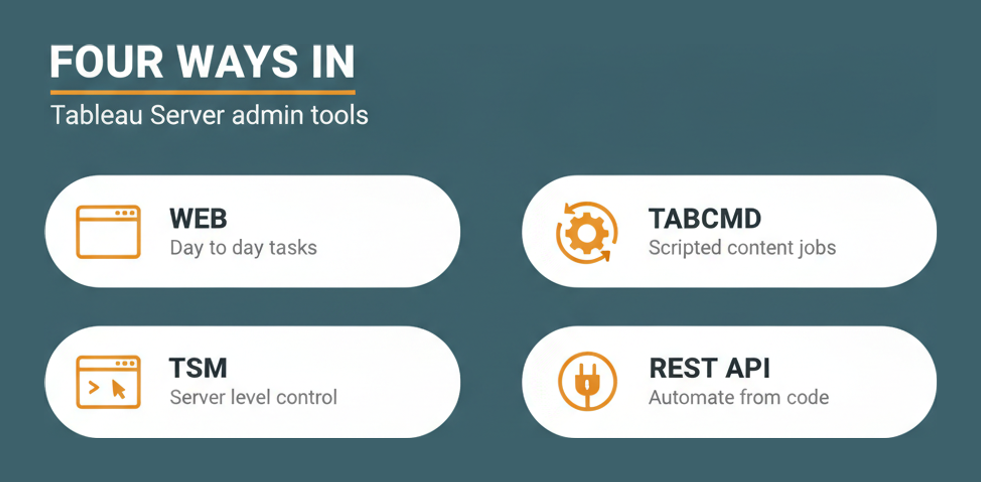
That is a wide list, and its breadth is the point. A candidate who administers Tableau Server through the web interface alone will meet several objectives here for the first time in the exam, because tsm and tabcmd are named explicitly and the REST API alongside them.
Administrative views are more examinable than they look
The objectives separate built-in administrative views from custom admin views and from performance recordings. Those are three different things with three different purposes: the built-in views answer standard questions, custom views answer yours, and a performance recording captures a single workbook’s behaviour in detail.
- Built-in administrative views for standard server questions
- Custom administrative views built on the repository for local questions
- Performance recordings for diagnosing one slow workbook
- Data-driven alerts and email alerts, which serve users rather than administrators
The domain also asks you to contrast end-user capabilities with system-administrator ones, naming web authoring, sharing views, renaming a workbook, data source certification and extract caching as things a user can do. Those questions are easy marks if you have read the list and awkward if you have not. Tableau’s own server administration documentation maps closely onto this domain.
Why Do Permissions Deserve Their Own Answer?
Because Tableau Server has three permission states rather than two, and the exam tests the third one hard. Allow grants a capability, Deny refuses it outright, and None leaves it unset so that it is inherited from elsewhere. The objectives name all three explicitly alongside permission design ramifications and the security model.
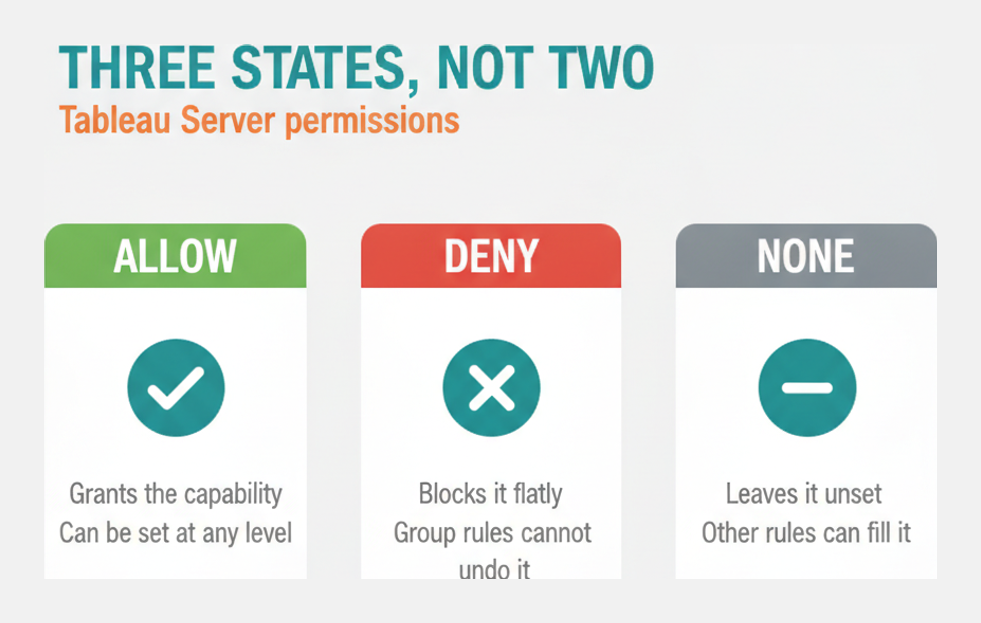
The practical difference is that Deny is absolute and None is not. A user who is denied a capability at project level cannot regain it through group membership, while a user whose capability is None can inherit an Allow from a group. Confusing the two produces exactly the sort of scenario question this exam favours.
Security is layered, and the layers are named
Security appears at site, project, group, user, data source and workbook level in the objectives. Each of those is a place where permission can be set, which means the answer to “why can this person see this workbook” is often several layers up from where the question is asked.
Identity is the other half. Installation and Configuration names Active Directory, Trusted Tickets, SAML, Kerberos and OpenID Connect as identity-store and single-sign-on options, and each carries different implications for how users are added and how automatic login behaves.
How Much Infrastructure Knowledge Does the First Domain Assume?
Real infrastructure knowledge, despite the domain’s title. At 20 percent it covers server topology and how client and server components work together, minimum RAM, CPU and disk requirements, operating system and browser support, SMTP and port issues, anti-virus considerations, licensing types and their mapping to site roles, and server processes including Tableau Services Manager.
Distributed and high-availability environments sit here too, along with process counts, multiple-instance processes and load balancers. So does the network layer: latency and the risk of dynamic IP addressing on a Tableau Server host are both named.
Data source identification is the part that matches the title
The objectives ask you to distinguish file, relational and cube sources, extract from live connections, and to know the benefits of a published data source, along with ports and database drivers. That is the only genuinely data-shaped part of the domain, and it is a small share of it.
Versions get their own objective: identifying the current version, obtaining the latest release and finding the release notes. Tableau publishes those on its product release page, and knowing where they live is genuinely examinable.
How Small Is the Migration and Upgrade Domain?
Six percent, or roughly three questions on a 55-question form. It asks you to understand the upgrade process, explain when a clean reinstall is necessary rather than an in-place upgrade, describe hardware migration procedures and understand backwards compatibility. Four objectives, and no more.
The temptation is to skip it, and that is a mistake for a specific reason: three questions is more than the margin most candidates have to spare at a 64 percent pass mark, and four objectives is an afternoon of reading rather than a project.
Backwards compatibility is the objective worth the most attention, because it governs whether workbooks and data sources built on an older version keep working. It is also the question a business asks before approving an upgrade window, which makes it the most useful thing in the domain regardless of the exam.
What Does Analytics-Admn-201 Cost and How Long Is It?
Registration costs $200 and a retake costs $100. The exam runs 90 minutes for 55 questions, with a pass mark of 64 percent, delivered through Pearson VUE. That works out at a little under a hundred seconds per question, and roughly twenty wrong answers is the limit.
| Item | Detail |
|---|---|
| Exam code | Analytics-Admn-201 |
| Questions | 55 |
| Duration | 90 minutes |
| Passing score | 64 percent |
| Registration fee | $200 USD |
| Retake fee | $100 USD |
| Delivery | Pearson VUE |
The half-price retake changes the calculus slightly. A first attempt made a little early is not the expensive mistake it would be on an exam that charges full price twice, though it is still worth doing the gap audit first. Salesforce lists the credential on its Trailhead credential page.
How Should a Working Administrator Prepare?
Test your coverage of the tooling first. Most administrators run their server through the web interface and reach for tsm only when something breaks, yet tsm, tabcmd and the REST API all sit inside the largest domain. Closing that gap is worth more than any amount of general revision.
- List every task you normally perform through the web interface and find the tsm or tabcmd equivalent for each one, since the exam assumes you know both routes.
- Build a small permission scenario deliberately, setting one capability to Allow, one to Deny and one to None, then trace what each user can actually see.
- Read the licensing and site role mapping objectives carefully, because licence type and site role are separate things that questions frequently combine.
- Run a backup and a restore on a non-production environment, as this is the administration objective most often read about rather than performed.
- Work through the identity store options once each, noting which of Active Directory, SAML, Kerberos, Trusted Tickets and OpenID Connect suits which environment.
- Finish with the small domains, giving Troubleshooting and Migration and Upgrade one focused session each, since together they are still 18 percent of the paper.
Once the gaps are closed, timed practice is what exposes pacing. A realistic set of Analytics-Admn-201 sample questions will show whether any domain is still soft.
On pay, this credential attaches to platform administration rather than to analysis, so systems administrator salary data is a closer comparison than analyst benchmarks. Broader background on the platform sits on the Tableau company overview.
BigDataRise’s Salesforce certification hub covers the neighbouring exams, and the Tableau Architect exam topics page is the natural next step if you are mapping a longer path through the Tableau credentials.
Frequently Asked Questions
How many questions are on Analytics-Admn-201?
Fifty-five questions in 90 minutes. That is a little under a hundred seconds each, which is tight for scenario questions that describe a permission or topology problem.
What is the passing score?
Sixty-four percent. On 55 questions that allows roughly twenty wrong answers, which sounds generous until you notice that one domain supplies around twenty questions on its own.
How much does the exam cost?
Two hundred US dollars to register and one hundred to retake. The reduced retake fee is unusual and makes a slightly early first attempt less costly than on most vendor exams.
Which domain is the largest?
Administration at 36 percent. Installation and Configuration follows at 26, so the two together decide 62 percent of the paper between them.
Do you need to know tsm and tabcmd?
Yes. Both are named directly in the Administration objectives, alongside REST API usage, so web interface familiarity alone leaves a real gap in the largest domain.
What is the difference between Deny and None?
Deny refuses a capability absolutely and cannot be overridden by group membership. None leaves it unset, so the capability can still be inherited from another rule.
Is this the same as Tableau Server Certified Associate?
No. That is the older credential name that still appears in search results and legacy study material. Analytics-Admn-201 is the current Salesforce-badged Server Administrator exam.
How much of the exam is about upgrades?
Six percent, which is roughly three questions covering the upgrade process, clean reinstalls, hardware migration and backwards compatibility. Small, but not safe to skip entirely.
Are prerequisites published for this exam?
The exam syllabus states none. In practice the questions assume you have run a Tableau Server environment, because they describe operational situations rather than definitions.
Which identity stores does the exam name?
Active Directory, Trusted Tickets, SAML, Kerberos and OpenID Connect, along with the effects of automatic login and the setup of SSL alongside them.
Conclusion
Analytics-Admn-201 rewards the administrator who already runs the platform and has been curious about the parts of it they do not touch. Sixty-two percent of the paper is installation, configuration and day-to-day administration, permissions carry three states rather than two, and the smallest domain is still worth about three questions at a 64 percent pass mark.
Prepare for the Tableau Server administrator exam by closing tooling gaps rather than by re-reading what you already do. Learn the tsm and tabcmd equivalents of your web-interface habits, trace a real permission scenario end to end, and then test your pacing against realistic practice material.


